Two different mechanisms for two different threat models. Choose the one that matches what you are actually protecting against.
Password protection
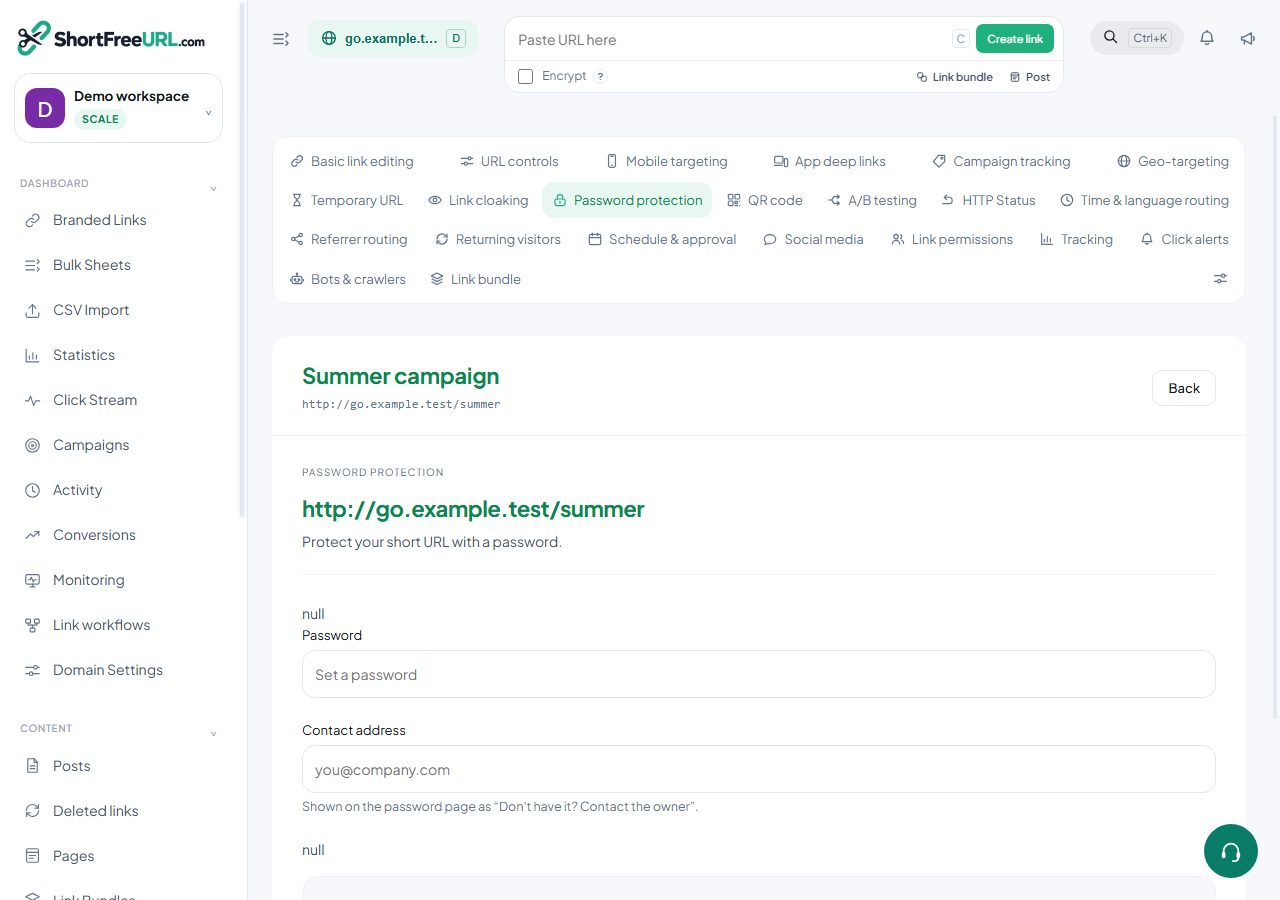
Set a password on a link and visitors see a gate page before the redirect. On success a signed cookie is set for that link, so the password is asked for once per browser per day rather than on every click. A contact address can be shown on the page for people who do not have the password.
What this does and does not do:
- The destination URL is stored in the clear and is visible to anyone who can see the link in the dashboard.
- Anyone who passes the gate has the real destination and can share it. Protect genuinely sensitive material at the destination too.
- Link previews stop working, because crawlers see the password page. That is correct behaviour, not a bug.
- Removing a password is a save with the field cleared.
Password protection is right for mild gating: an unlisted document, a pre-launch page, a link you would rather not have indexed or forwarded casually.
Encrypted links
Encryption is chosen at creation and cannot be added or removed afterwards. The destination is encrypted with a key that is returned to you once and never stored — it travels in the URL fragment, which browsers do not send to servers. Opening the link serves a page that decrypts the destination in the browser using the key from the fragment.
The consequences are worth stating plainly:
- The server cannot read the destination. Neither can anyone with database access.
- A link without its fragment is useless. If you lose the key, the destination is not recoverable — recreate the link.
- The dashboard cannot show you the destination either. The links table marks the link as encrypted and nothing more.
- Statistics still work; the destination column records that the click was to an encrypted link.
Encryption is right when the destination itself is the secret.
Combining
A link can be both protected and encrypted. Password protection starts on Growth and encryption on Business, and encryption in particular is a one-way decision at creation, so decide before you create.
Find this in your dashboard
- Sign in and select the workspace and domain you want to manage.
- Open Password protection. Review the article’s steps and your plan’s available controls.
- Save your changes, reopen the record and verify the saved result. For routing changes, check the short link with a test visit.