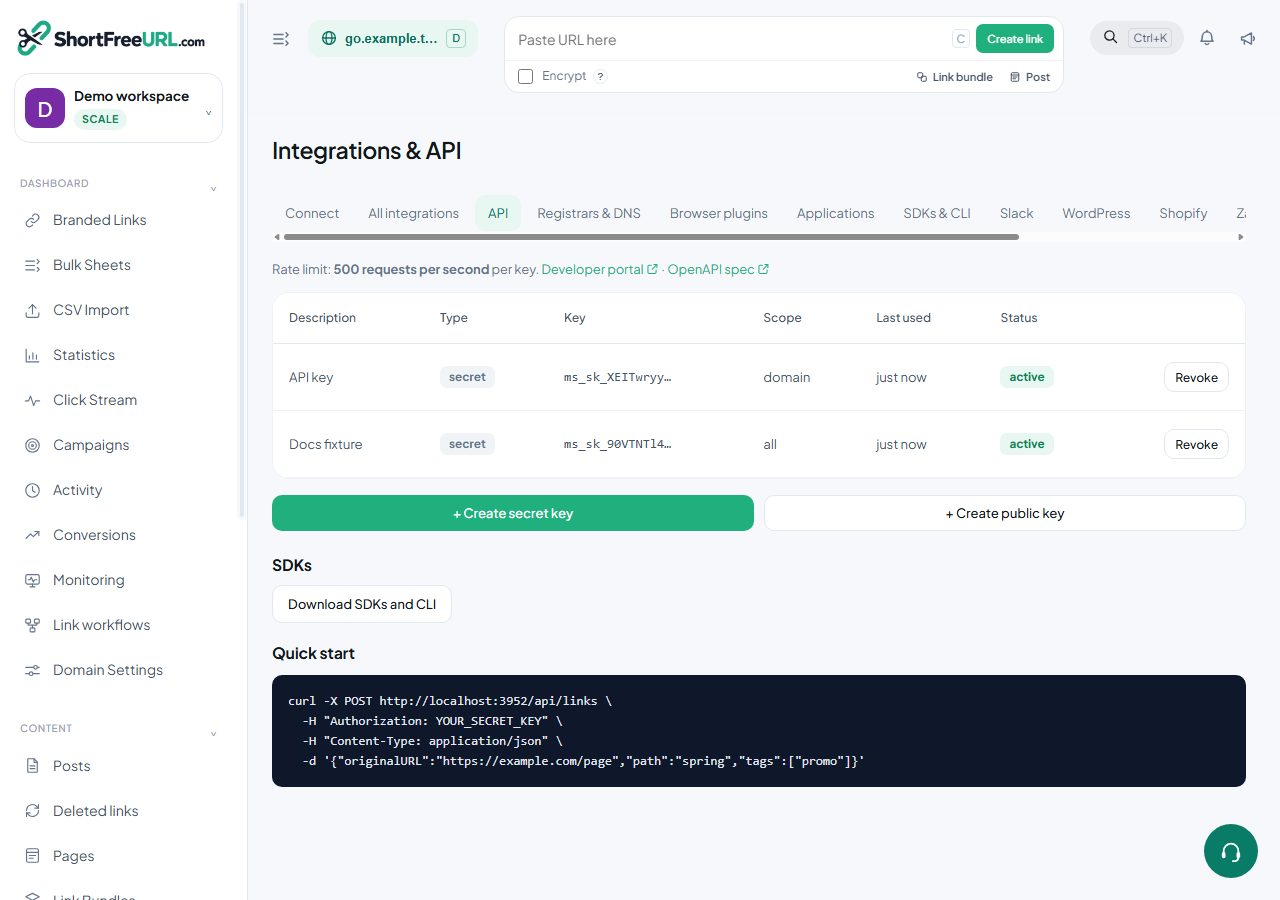
Everything the dashboard does is available over the REST API, authenticated with a key created under Integrations, API.
Two kinds of key
- Secret keys have full access to the organization. Keep them server-side: in an environment variable, a secrets manager, a CI secret. Never in a browser bundle, a mobile app, or a repository.
- Public keys can only create links. They are meant to be shipped where a user can see them — a browser extension, a mobile app, a bookmarklet. The worst a leaked public key can do is create links.
Scope
A key is scoped to all domains or to a single domain. Scoping to one domain is the right default for anything embedded in a product: a key that can only create links on go.example.com cannot touch your other domains.
Expiry
A key can be given an expiry date. The key list shows a status of active, expiring (within seven days) or expired, so a rotation that is about to break something is visible before it breaks. Rotating on a schedule is a good habit; rotating without an expiry date set means nobody notices the old key is still valid.
Using a key
Pass it in the Authorization header:
curl -X POST https://your-instance/api/links \
  -H "Authorization: YOUR_SECRET_KEY" \
  -H "Content-Type: application/json" \
  -d '{"originalURL":"https://example.com/page","path":"spring","tags":["promo"]}'
Rate limits
Requests are limited per key, at a rate shown on the API tab. Exceeding it returns 429; back off and retry rather than hammering. For bulk work, use the bulk endpoints rather than a loop of single creates — they are designed for it and count more efficiently against your limits.
Revocation and audit
Revoking a key takes effect immediately and anything using it stops working. Key creation and revocation are recorded in the audit log with the user and IP, which is what you want when the question is who added the integration that has been creating links all week.
The key is shown once, at creation. If it is lost, revoke it and create another.
Find this in your dashboard
- Sign in and select the workspace and domain you want to manage.
- Open API keys. Review the article’s steps and your plan’s available controls.
- Save your changes, reopen the record and verify the saved result. For routing changes, check the short link with a test visit.